
 Geert van der Cruijsen
26f82540bd
updated build to default X64 so iOS 10.1 won't give warnings on first start
Geert van der Cruijsen
26f82540bd
updated build to default X64 so iOS 10.1 won't give warnings on first start
|
пре 9 година | |
|---|---|---|
| .. | ||
| DevDaysTasks.Droid | пре 9 година | |
| DevDaysTasks.Shared | пре 9 година | |
| DevDaysTasks.UWP | пре 9 година | |
| DevDaysTasks.iOS | пре 9 година | |
| images | пре 9 година | |
| DevDaysTasks.sln | пре 9 година | |
| README.md | пре 9 година | |
README.md
Azure Tasks
This is a small sample application showing how easily add backend using Azure Mobile Apps to a Xamarin Application.
Built with C# 6 features, you must be running VS 2015 or Xamarin Studio to compile.
Built with Xamarin.Forms with support for:
- iOS
- Android
- UWP
Setup
There are a few steps to setup this application.
Azure Account
Please signup or sign into your azure account at http://www.azure.com
Access Azure Portal
Head to http://portal.azure.com
Create new Azure Mobile App Quick Start
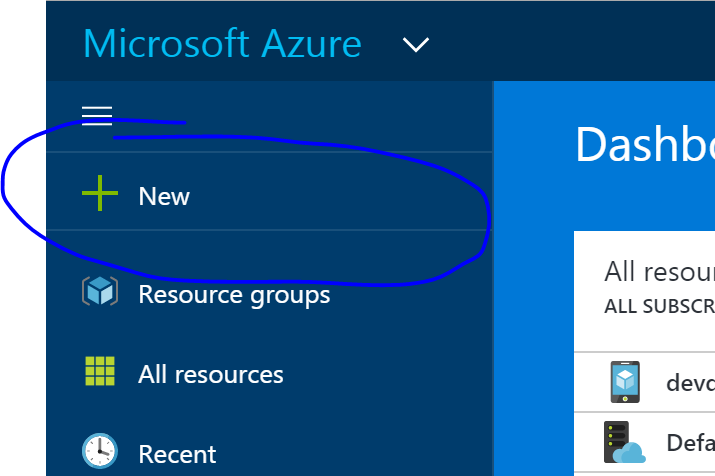
Click on the New button
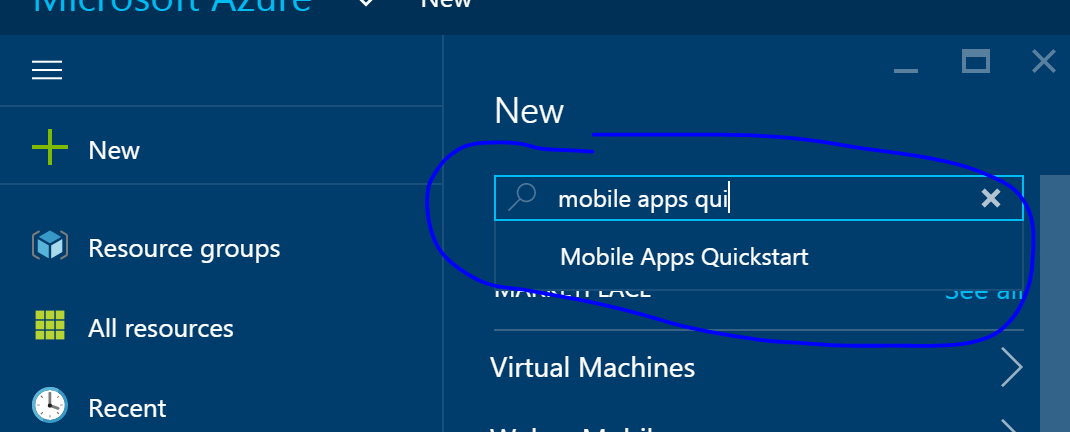
Search for Mobile Apps Quickstart
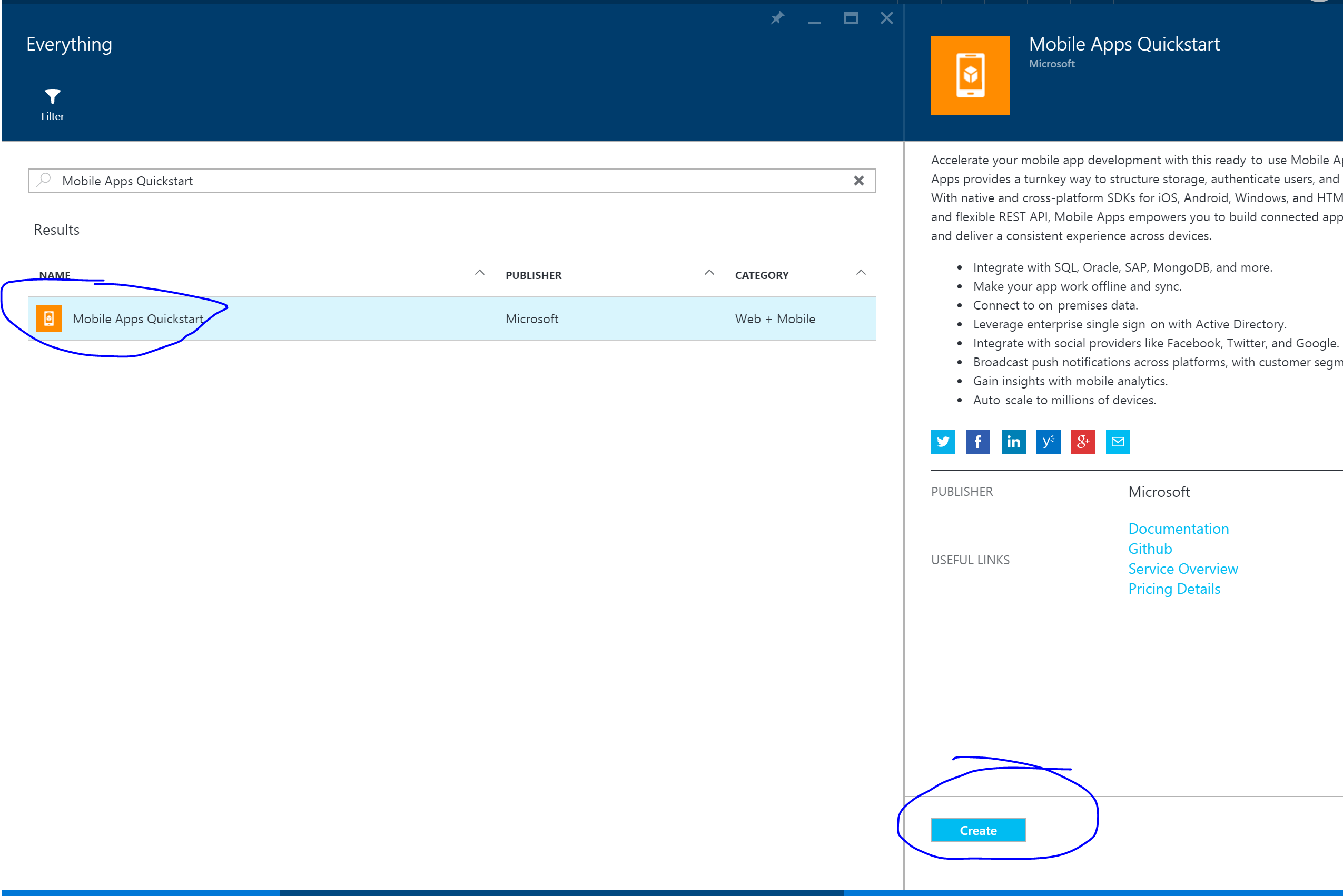
Tap on it and then tap on it again in the results:
Tap on Create
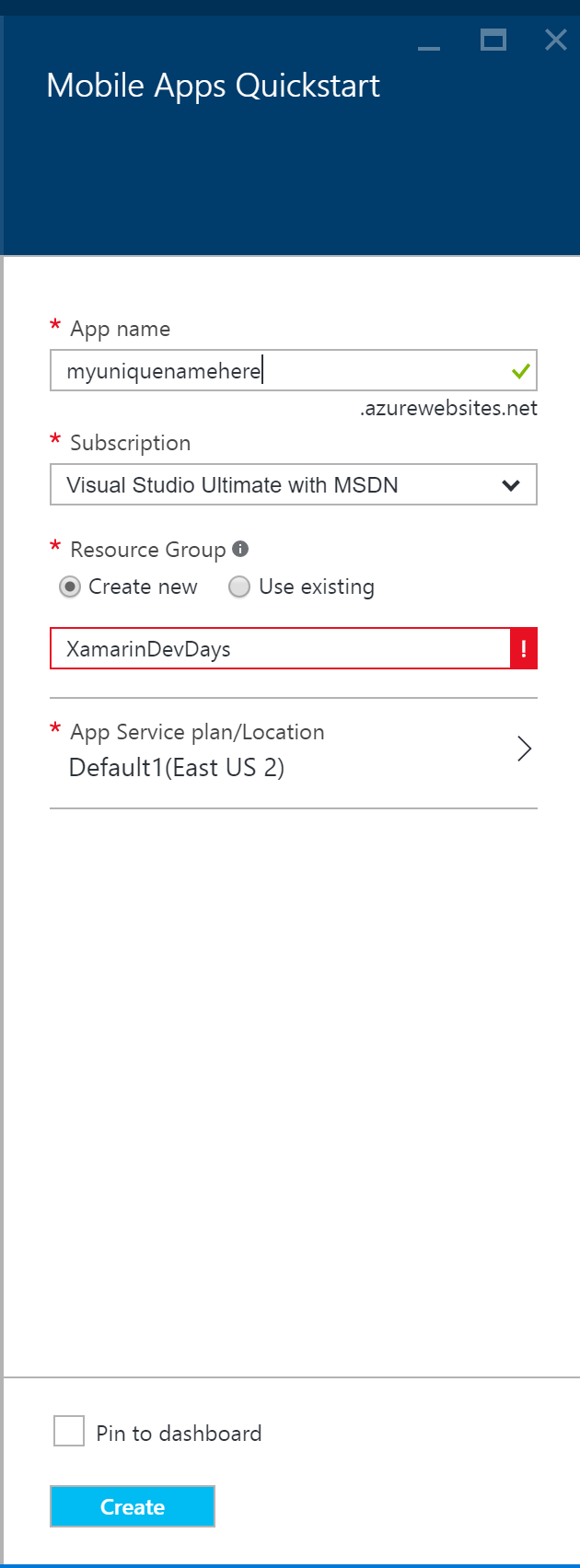
- Name your app (must be unique name, remember this for later)
- Select subscription.
- Create new resource group called XamarinDevDays
- Add to existing plan or create new plan
- Check Pin to Dashboard
- Tap Create
Now give it about 3-5 minutes and you will be completely setup.
Update code & run
- Open DevDaysTasks.sln.
- You will find DevDaysTasks/Helpers/Constants.cs
- Update with your app name and run!